
 EN
 DE
 ES
 HU
 IT
 PL
 PT-BR
 RU
 TR
 UA
 ZH
Change nickname

Interesting Facts
- The nickname change first appeared in Tanki on October 12, 2016.
See also: Players profile
A nickname is the name a player chooses when registering an account. It can be changed for X-crystals at any time.
Before you change it
- Think of a nickname that follows the game rules and is not taken yet. If it is taken, the window tells you so.
- Make sure you have 450 X-crystals on your account: that is the price of the change.
How do I change my nickname?
- In the main menu, click on your rank icon or your nickname to open your profile.
- Open the ACCOUNT section.
- Click change next to your nickname.
- Enter the new nickname in the Change nickname window and confirm with Change.
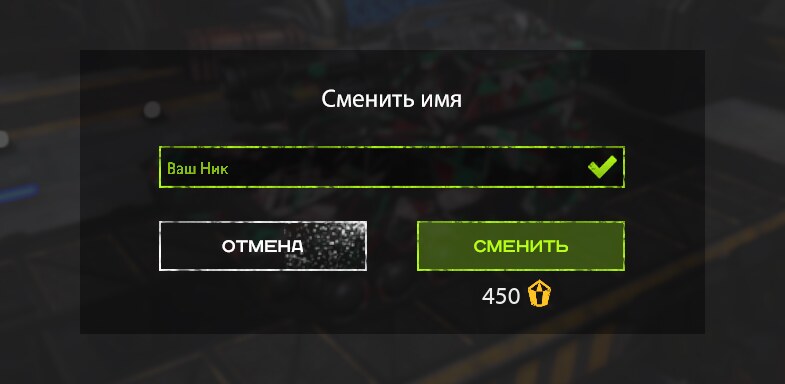
The X-crystals are taken from your account and a notification says "You've successfully changed your nickname to …!".
Only the name changes: your rank, experience, crystals, garage, statistics and friends list stay as they are.
What a nickname may look like
- 2 to 20 characters
- Latin letters, digits, hyphen (-), underscore (_) and dot (.)
- It starts and ends with a letter or a digit, and two of these characters never stand together
- Not digits only